Distance matrix response
{
“destination_addresses” : [ “Sacramento, CA, USA” ],
“origin_addresses” : [ “Los Gatos, CA, USA” ],
“rows” : [
{
“elements” : [
{
“distance” : {
“text” : “128 mi”,
“value” : 361715
},
“duration” : {
“text” : “2 hours 05 mins”,
“value” : 13725
},
“status” : “OK”
}
]
}
],
“status” : “OK”
}
ipstack
{
“continent_code”: “NA_FakeDataByBinh”,
“continent_name”: “North America”,
“country_code”: “US”,
“country_name”: “United States”,
“region_code”: “CA”,
“region_name”: “California”,
“city”: “San Jose”,
“zip”: “95138”,
“latitude”: “37.237838745117”,
“longitude”: “-121.83061218262”
}
How to send JSON string via POST in PHP
Some modern web services and APIs that requires API consumers to send JSON via a POST request. Here’s how you would program to do such task.
//API Url
$url = 'http://apiprovider.com/api/v1/authentication/create';

//Initiate cURL.
$ch = curl_init($url);

//This array will be encoded to JSON data before sending.
$jsonData = array(
    'username' => 'SomeUsername',
    'password' => 'SomePassword'
);

//Encode the array to JSON.
$jsonDataEncoded = json_encode($jsonData);

//Tell cURL that we want to send a POST request.
curl_setopt($ch, CURLOPT_POST, 1);

//Attach our encoded JSON string to the POST fields.
curl_setopt($ch, CURLOPT_POSTFIELDS, $jsonDataEncoded);

//Set the content type to application/json
curl_setopt($ch, CURLOPT_HTTPHEADER, array('Content-Type: application/json'));

//Execute the request
$result = curl_exec($ch);
Once we’ve got the response from the API Provider, we can decode the JSON back to an array using json_decode() function, so that PHP can process or display to client easily.
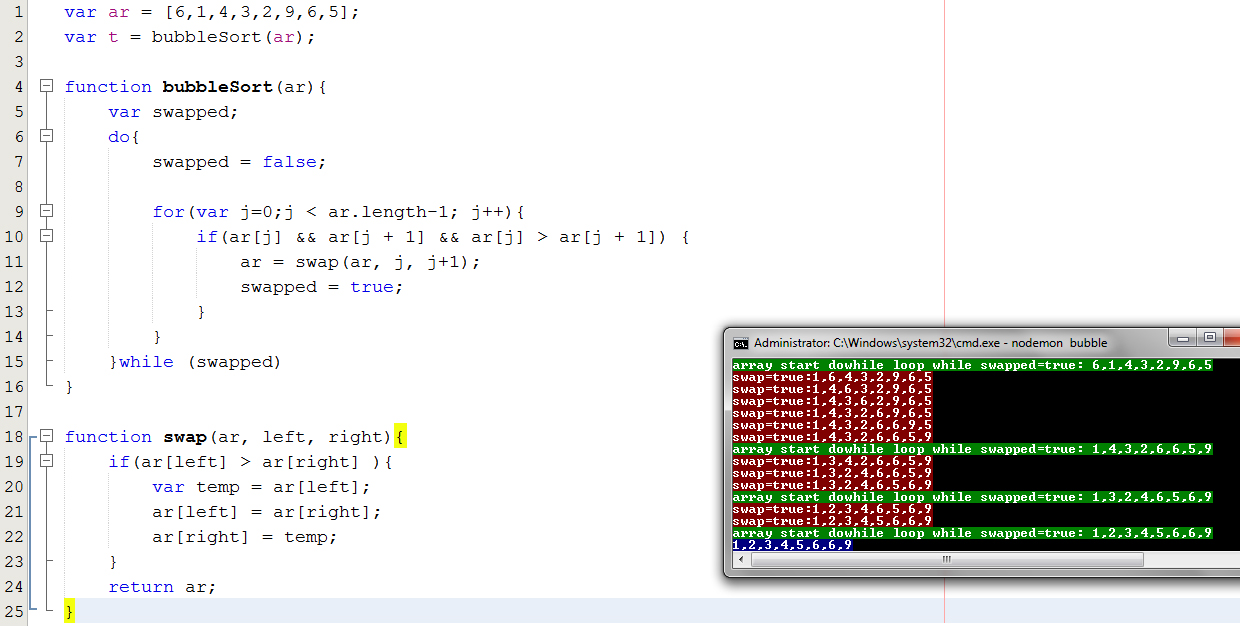
Bubble Sort
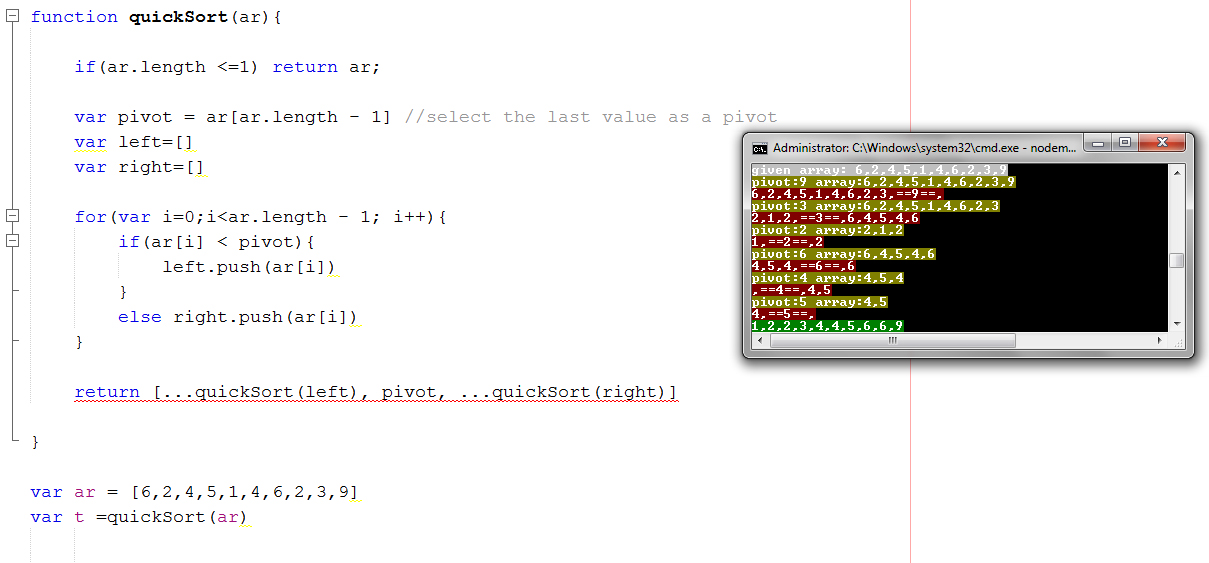
Quick Sort